

Void a donation
How to void (cancel) a wrong, duplicate or bounced donation, who can do it, and what changes afterwards
On this page
Void a donation when it should never have counted: a duplicate entry, a bounced cheque, a data entry mistake, or a refunded payment. Voiding keeps the record for your audit trail. It does not delete it.
Who can void
Only the Super admin of the organisation can void a donation. Other roles do not see the Void option, and see "Only the super admin can cancel a donation receipt" if they try.
Void one donation
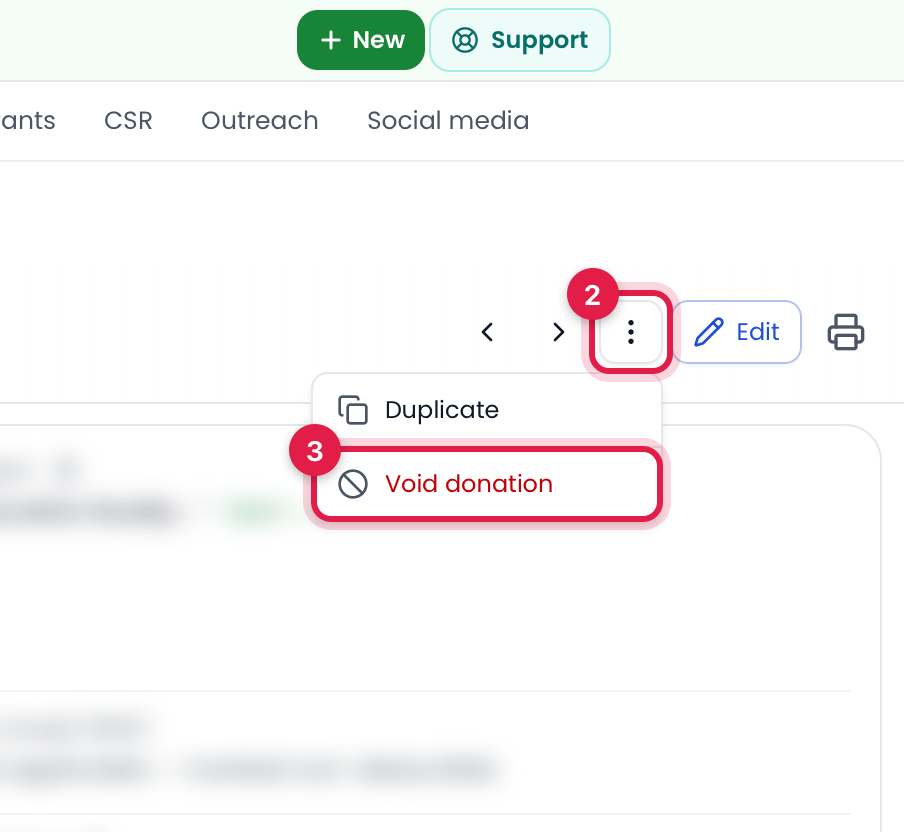
- Go to Donations and open the donation.
- Click the ⋮ (more actions) button at the top of the page, next to Edit.
- Choose Void donation.
- Enter a reason (for example "Cheque bounced") and confirm.
Void several donations at once
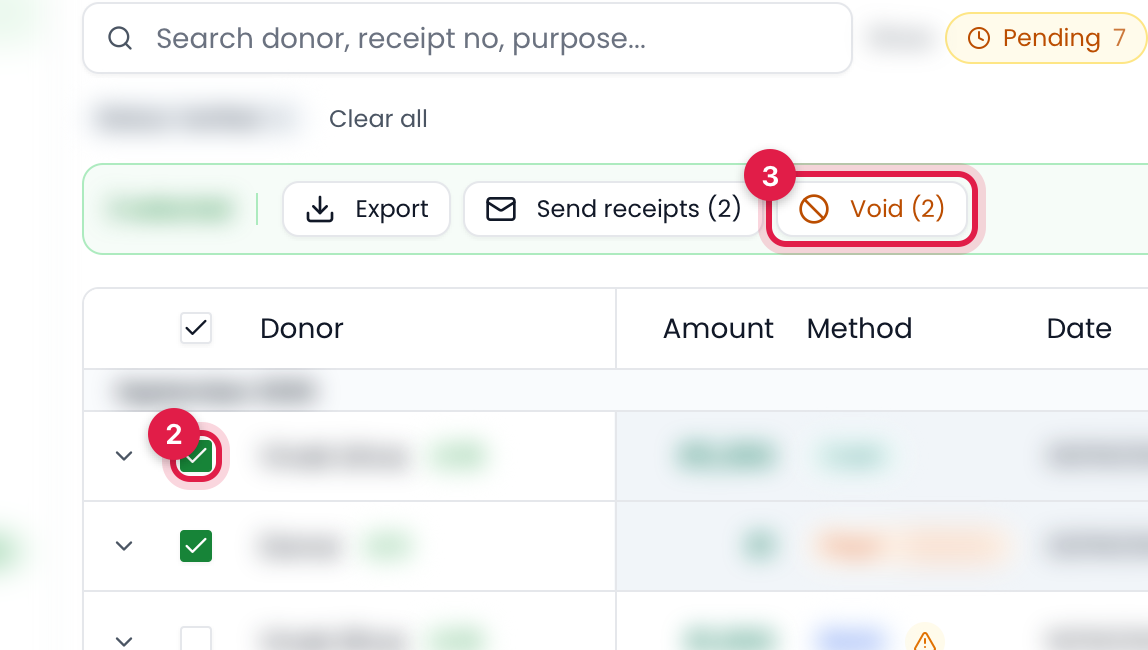
- Go to Donations.
- Tick the donations you want to void.
- Click Void in the bar that appears.
- Enter a reason and click Void donations.
If every selected donation is still Pending or Rejected, you will see Delete instead of Void, because those were never counted. Verified donations can never be deleted: "N donation(s) are verified and cannot be deleted. Use "Void" instead."
Fixing a wrong amount or donor
Void the wrong donation, then use Duplicate on it to create a copy with the corrected details. The copy gets a new receipt number.
What changes after voiding
- The donation shows as Voided, greyed out with the amount struck through, on the Donations page and on the project's Donations tab.
- The donor's total given and the project's amount raised are recalculated without it.
- The accounting entry is reversed automatically, and the money is taken back out of the bank or fund account it was credited to.
- For in-kind donations, the goods are removed from stock. If some were already given out, you are told how much stock is short.
- The receipt number is not reused. Scanning the receipt QR shows "Cancelled receipt".
Things to know
- A void cannot be undone. If you voided by mistake, record the donation again.
- The project's "raised" figure and its donation count include verified donations only. Voided and pending donations are left out.
- The reason you enter is shown on the donation's page, so anyone reviewing it later can see why it was voided.
Still stuck? Talk to a person
Call or WhatsApp +91 90227 38129, or open Support & requests in your dashboard.